
The final prompt is visible
Every selected chip becomes plain text in the readout. What you inspect is byte-for-byte what the generation request sends.
PUBLIC IMAGE INSTRUMENT / NO ACCOUNT
Describe a printable scene and control its mood, viewpoint, and composition. The page automatically asks for closed black outlines, open spaces, and no shading.
Every selected chip becomes plain text in the readout. What you inspect is byte-for-byte what the generation request sends.
Type only a subject if that is all you have. Style, mood, lighting, and composition controls are useful shortcuts, never required steps.
Choose square, landscape, widescreen, or vertical output before generating. The selected aspect travels with the same visible prompt.
The finished images on this page were made through the same pipeline from the prompts printed beside them. First paint makes no generation call.
There is no email gate, trial counter, or checkout. Open the page, write a subject, and generate without creating an identity.
A server-side per-IP limit keeps the public tool affordable and blocks obvious automation. Content filtering runs before inference and telemetry insertion.
Use one clear activity and a manageable number of characters or objects for the intended colorist.
Keep the subject concrete. Large shapes are easier for young children; older colorists can handle denser detail.
Look for closed regions, doubled limbs, stray marks, accidental gray fills, and tiny areas that will not print cleanly.
Download the image and print one page before making a class set. Confirm margins and line weight on the real printer.
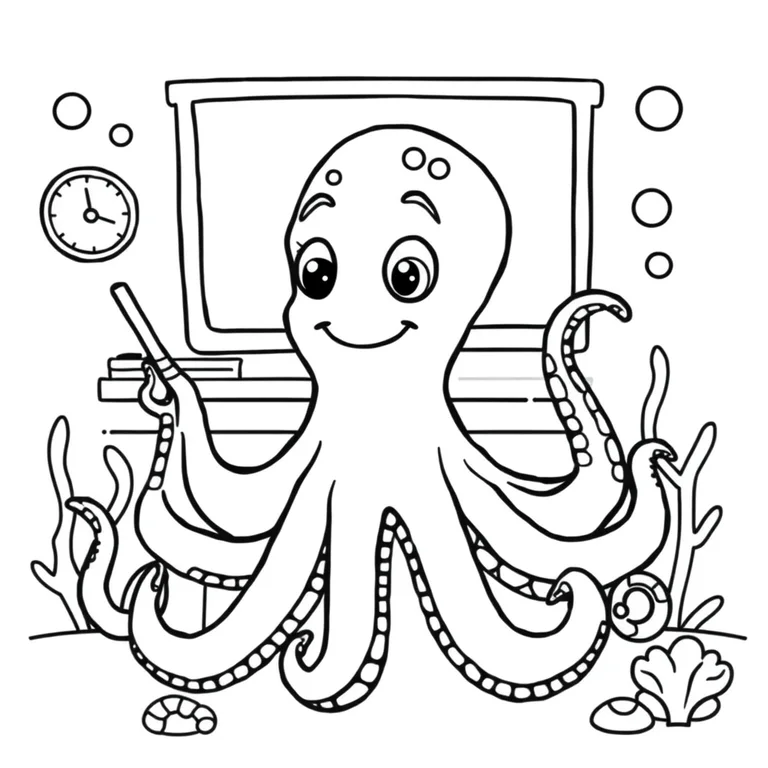
A usable coloring page is not simply a colorful illustration converted to grayscale. It needs closed regions, confident line weight, open white areas, and a subject whose parts remain understandable without shading. Begin with one clear activity: an octopus teaching a classroom, rabbits tending a community garden, or dinosaurs operating construction machines. Name the key characters and setting, but resist filling every corner. The generator automatically adds black-line and white-background instructions so your subject words can focus on what the person coloring should discover.
Match complexity to the intended audience. Preschool pages benefit from one or two large figures, broad shapes, and almost no background texture. Elementary-age children can handle several characters and a recognizable environment. An adult relaxation page may use repeated botanical or architectural detail, but it still needs clean boundaries. Use Centered composition for a single mascot-like subject, Wide scene for a classroom or story moment, and Top-down for maps, gardens, or collections of objects. The exact composition phrase appears in the final readout.
Inspect generated anatomy and object logic before printing. Count arms, wheels, windows, fingers, and repeated classroom objects. Look for lines that stop unexpectedly, shapes that merge, gray patches that consume coloring space, and tiny islands too small for a crayon or marker. AI can also hallucinate letters, so the fixed prompt excludes text; add labels, vocabulary words, page numbers, or lesson instructions later in a document editor. If a page is too busy, remove background nouns rather than asking vaguely for “less detail.”
Print one test at the final paper size. A line that looks bold on a phone may become faint on a low-cost school printer, while a dense edge may bleed through thin paper. Check the outer margin and leave room for ordinary printer clipping. This tool creates one raster image, not a PDF workbook or vector worksheet. It is best for a single custom activity page that a parent, teacher, librarian, or caregiver will review before sharing.
Compare closed printable outlines with block-based pixel art or tattoo-flash line hierarchy.
Build a readable sprite or retro scene without memorizing pixel-art prompt syntax. Choose optional guidance and inspect the full prompt before it runs.
Turn a symbol, subject, and placement idea into a focused tattoo concept. The style and composition language stays visible so you can take a clearer brief to an artist.
The page asks for black outlines, a white background, and no shading. Always inspect the result because generated images can still contain stray gray areas.
Request one or two large subjects, a simple activity, thick lines, and very few background objects. Centered composition usually gives the clearest result.
No. Each generation returns one raster image. Arrange reviewed images into a document or PDF separately.
Add words later in a document editor. Generated letters are unreliable, so the image prompt deliberately excludes text.
Yes. Five image generations per IP address are available each hour with no account or watermark.