
The final prompt is visible
Every selected chip becomes plain text in the readout. What you inspect is byte-for-byte what the generation request sends.
PUBLIC IMAGE INSTRUMENT / NO ACCOUNT
Build a readable sprite or retro scene without memorizing pixel-art prompt syntax. Choose optional guidance and inspect the full prompt before it runs.
Every selected chip becomes plain text in the readout. What you inspect is byte-for-byte what the generation request sends.
Type only a subject if that is all you have. Style, mood, lighting, and composition controls are useful shortcuts, never required steps.
Choose square, landscape, widescreen, or vertical output before generating. The selected aspect travels with the same visible prompt.
The finished images on this page were made through the same pipeline from the prompts printed beside them. First paint makes no generation call.
There is no email gate, trial counter, or checkout. Open the page, write a subject, and generate without creating an identity.
A server-side per-IP limit keeps the public tool affordable and blocks obvious automation. Content filtering runs before inference and telemetry insertion.
Start with a character, object, room, or landscape that can survive visual simplification.
Use the chips to clarify atmosphere and whether the scene is centered, close, wide, or viewed from above.
The fixed shaping asks for hard edges and deliberate clusters instead of a blurry low-resolution illustration.
Download the result and inspect its silhouette, palette separation, and small details at the size you plan to use.
Pixel art succeeds when every cluster has a job. A useful prompt therefore starts with a subject that can be recognized from its silhouette: a courier with a square parcel, a greenhouse with a broken dome, or a shop whose doorway glows against a dark tree. The generator automatically adds instructions for a limited palette, hard edges, and deliberate pixel clusters. You do not need to repeat “8-bit” five different ways. Spend those words on the object, pose, viewpoint, and one or two details that should survive simplification.
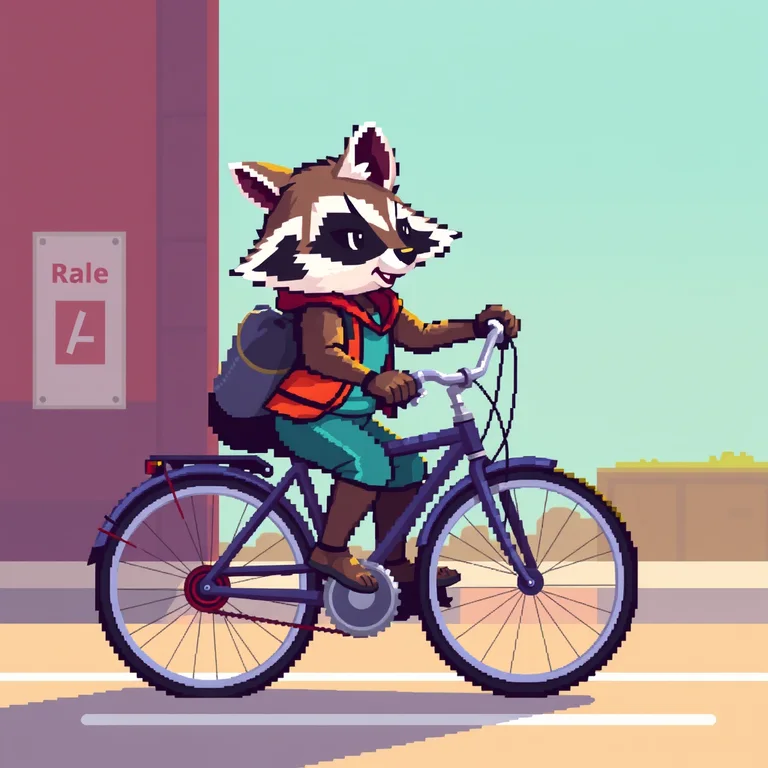
For character sprites, name the role, one prop, the direction the figure faces, and the action. “A raccoon bicycle courier carrying a red parcel, side view” gives the model a clearer hierarchy than a paragraph of costume adjectives. For environments, say whether you want a top-down room, side-scrolling platform, isometric corner, or wide establishing shot. The composition chip is visible in the final readout, so you can confirm that the viewpoint is present before the request leaves the page.
Treat the first result as a visual draft, not a production-ready sprite sheet. Inspect the silhouette against both dark and light backgrounds. Look for accidental gradients, semi-transparent edges, isolated single pixels, and objects that collapse when reduced. A generated image may look pixel-like while still containing too many colors or inconsistent pixel scales. If that happens, shorten the subject, choose the Graphic style, use Studio lighting, and ask for a centered or side-view composition. Exporting a clean game asset may still require palette reduction and manual cleanup in a pixel editor.
This page differs from the coloring-page tool because it preserves color masses and tiny block detail rather than empty printable regions. It also differs from the tattoo tool, where continuous curves and body placement matter more than a strict grid. Use this generator for sprites, inventory icons, retro scenes, mockups, and reference boards where a coherent pixel vocabulary is the point.
Try a line-first printable output or a body-aware blackwork concept.
Turn a symbol, subject, and placement idea into a focused tattoo concept. The style and composition language stays visible so you can take a clearer brief to an artist.
Describe a printable scene and control its mood, viewpoint, and composition. The page automatically asks for closed black outlines, open spaces, and no shading.
It produces one image per generation, not a rigged or animation-ready sprite sheet. Use it as a concept or isolate and clean individual frames manually.
Generated pixel art can mix pixel scales or add soft edges. Use a simpler subject, a centered composition, and the Graphic style, then clean the result in a pixel editor.
Describe the era, palette size, or game-view convention in the subject. The page already adds general hard-edge pixel instructions.
No. You can generate five images per IP address each hour without an account or payment method.
No watermark is added. Download any result you want to keep before its temporary provider URL expires.