
The final prompt is visible
Every selected chip becomes plain text in the readout. What you inspect is byte-for-byte what the generation request sends.
PUBLIC IMAGE INSTRUMENT / NO ACCOUNT
Turn a symbol, subject, and placement idea into a focused tattoo concept. The style and composition language stays visible so you can take a clearer brief to an artist.
Every selected chip becomes plain text in the readout. What you inspect is byte-for-byte what the generation request sends.
Type only a subject if that is all you have. Style, mood, lighting, and composition controls are useful shortcuts, never required steps.
Choose square, landscape, widescreen, or vertical output before generating. The selected aspect travels with the same visible prompt.
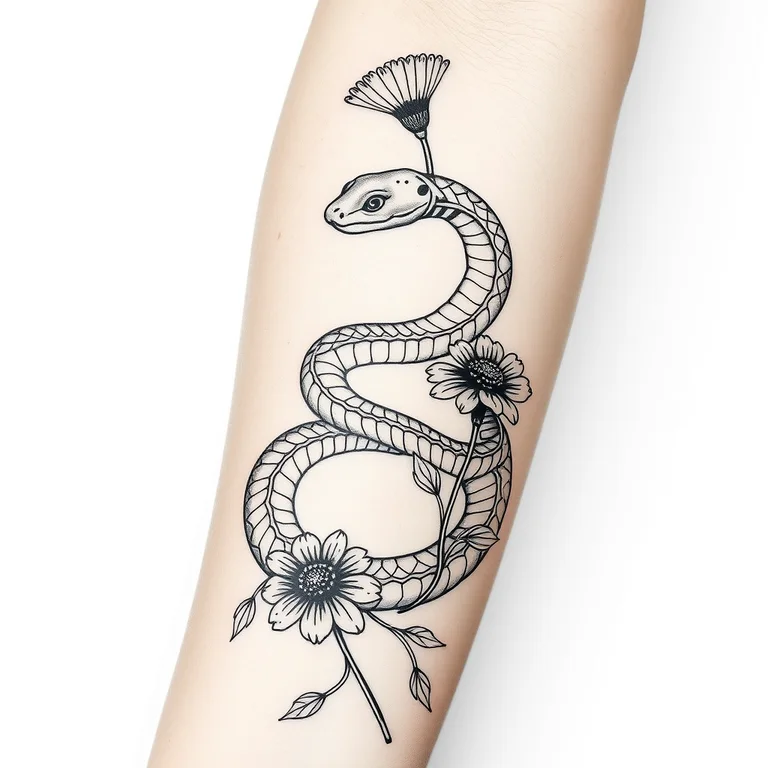
The finished images on this page were made through the same pipeline from the prompts printed beside them. First paint makes no generation call.
There is no email gate, trial counter, or checkout. Open the page, write a subject, and generate without creating an identity.
A server-side per-IP limit keeps the public tool affordable and blocks obvious automation. Content filtering runs before inference and telemetry insertion.
Pick one main object or figure, then add at most two supporting elements that matter to the idea.
Mention forearm, calf, shoulder, sternum, or another area so the requested silhouette has a useful direction.
Use style and mood controls to distinguish blackwork, illustrative, quiet botanical, or graphic emblem directions.
Download the concept as a conversation starter. A tattoo artist must redraw it for anatomy, aging, line weight, and safe application.
A generated tattoo image is most useful as a brief, not as a stencil. Start by naming the central symbol and why it must be recognizable: a moth with a hidden key, a lighthouse inside a storm cloud, or a snake crossing three calendula flowers. Then mention the intended body area. Placement changes the direction of the composition; a forearm favors a long vertical flow, while a shoulder can hold a rounder design and a sternum often asks for bilateral balance. The page adds a plain-paper flash presentation so the idea can be judged without a distracting photograph of someone else’s body.
Good prompts describe hierarchy. Say which object is largest, what overlaps, and which detail can be sacrificed. A request for “a lighthouse, waves, rope, compass, gulls, moon, banner, dates, and a quote” gives every element equal voting rights and usually produces visual clutter. Instead try “a lighthouse inside one curling wave, rope forming the outer frame, vertical upper-arm composition.” Use Dramatic mood for hard contrast or Quiet mood for a softer botanical direction. The final prompt readout exposes every chosen phrase before generation.
Evaluate the result at the size the tattoo may actually occupy. Thin ornamental lines that look elegant on a large screen can merge as ink spreads over time. Tiny faces, dense scales, and simulated gray texture may not translate cleanly to skin. Check whether the silhouette remains legible when you step back, whether negative spaces stay open, and whether the design has an obvious top and bottom. Generated lettering is unreliable, so the fixed prompt explicitly excludes text. Dates, names, and scripts should always be typeset or drawn separately and verified character by character.
Take a result you like to a qualified tattoo artist. They will adapt the drawing to your anatomy, line-weight minimums, skin movement, color behavior, and the way the piece should age. Do not ask an artist to trace AI output unchanged. This generator is a fast way to compare symbols, arrangements, and overall mood before paying for the skilled design work that makes a tattoo safe and durable.
Explore clean printable outlines or a strict grid-based visual language.
Describe a printable scene and control its mood, viewpoint, and composition. The page automatically asks for closed black outlines, open spaces, and no shading.
Build a readable sprite or retro scene without memorizing pixel-art prompt syntax. Choose optional guidance and inspect the full prompt before it runs.
Treat it as a concept only. A qualified tattoo artist should redraw it for your anatomy, safe line weights, application method, and long-term aging.
Name one main symbol, one or two supporting elements, intended placement, orientation, mood, and any color restriction. Avoid packing a full life story into one design.
Generated text is unreliable, so this page asks for no text. Add names, dates, or scripts separately with your artist and verify every character.
Yes. You can generate five concepts per IP address each hour without signup or paid credits.
No. The output is presented as flash on plain paper so you can evaluate the silhouette without borrowing a real person's body image.